For lawn care, snow removal & field service property maintenance operators
Move fast. Stay in control.
RPM Field gives lawn, snow and property-care operators controlled speed: the day’s jobs lined up each morning, GPS-checked visits, and invoices customers pay from a link — all from one phone.
Live now · Ontario-built
30 days free, no card needed. Already have an account? Sign in.
Built by an operator who runs it on his own properties every week.
Introductory pricing: $29 CAD/month, locked for your first 12 months. Then $790 a year or $79 a month. Unlimited owners, properties, crew and invoices.
No app. No password. No chasing.
Your customer just taps the link.
Finish the job and RPM Field logs it, builds the invoice with HST worked out, and emails it with a link that works on any phone. Your customer taps View & pay and pays by card or Interac e-Transfer on the spot, while you’re already at the next property. Quotes get approved from the driveway and photos of the finished work arrive the same way. No account to create, no password to reset, and no chasing payments.
Links expire on their own and stop working the moment they’re used, so an approval can’t be forwarded and used twice.
Approve a quote
See the work
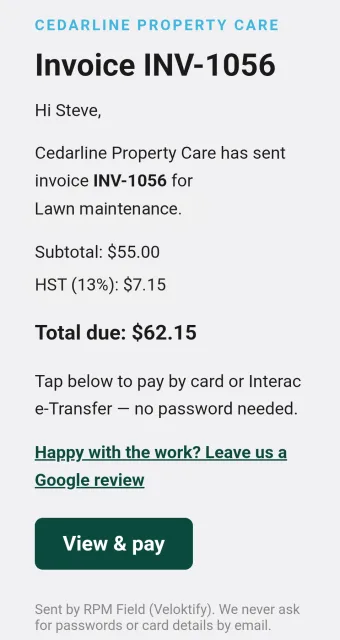
Invoice lands in their inbox
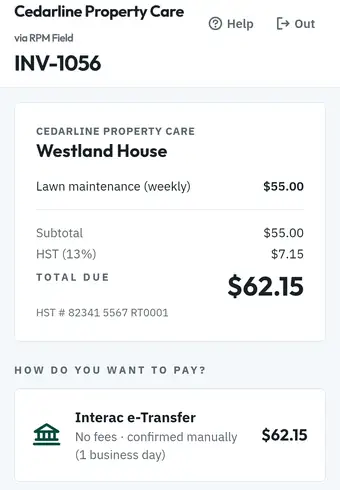
Pay from the link
Two-way SMS, built in
The text you almost missed is now a lead.
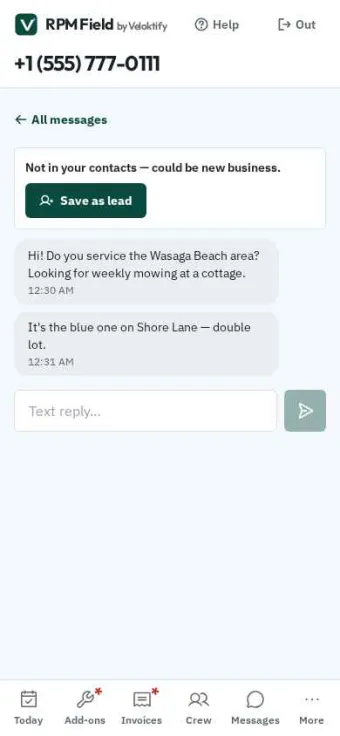
Your business number lives in the app. Customers text it, strangers text it, and every conversation lands in one inbox instead of scattered across your personal phone. Anyone who isn’t in your contacts gets flagged — one tap saves them as a lead with the whole conversation attached.
Crew and dispatchers can log leads too, and you can pay them commission when one turns into work. STOP and START are handled automatically, so you stay on the right side of the rules without thinking about it.
Self-serve booking
Let them book. You still decide.
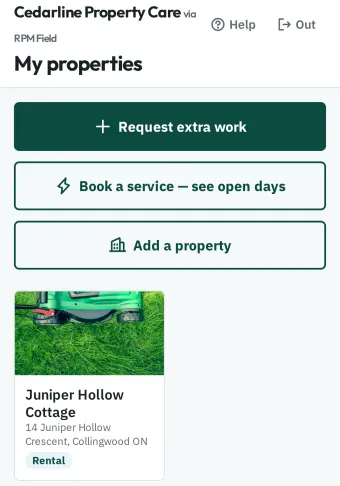
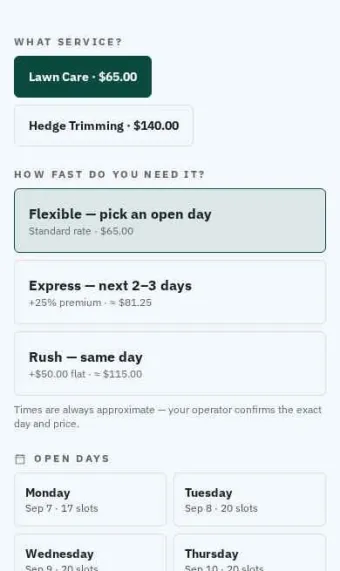
Owners pick a service, pick a day from the slots you’ve opened, and send the request. You approve it with the price and it drops onto the schedule. You set how many jobs a day, which weekdays, and how far ahead they can book.
And if they need it sooner, they pay for it: express in two or three days at a premium you set, or same-day rush for a flat fee. Urgency stops costing you your evening and starts paying for it.
The whole loop
Every job, from scheduled to paid, in one place.
The Today board
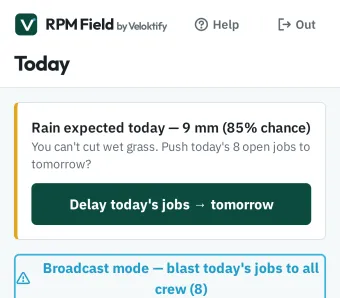
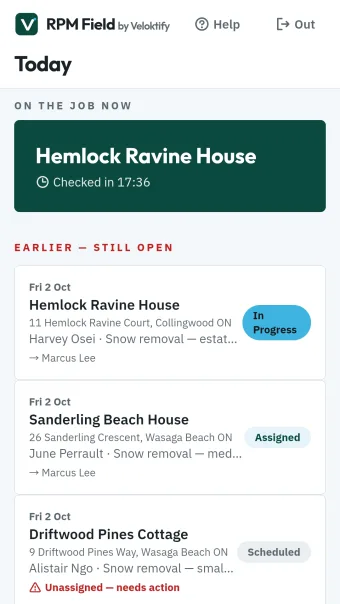
Every job for today and the weeks ahead, grouped by day with live status — scheduled, assigned, in progress, completed. Tap a job to run it.
Job sheets that run the job
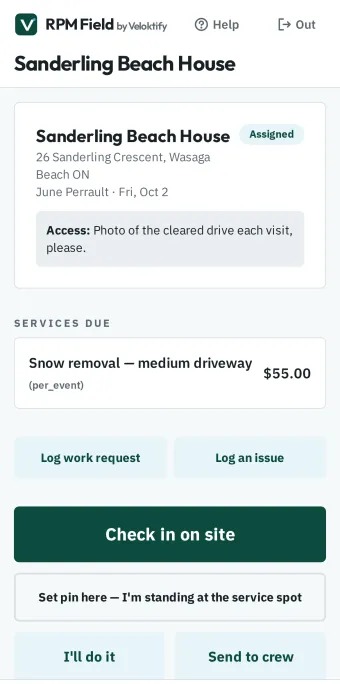
Access notes and gate codes, services due, special instructions, dispatch, GPS check-in, completion photos and weather delay buttons — all on one screen.
Smart dispatch
Offer a job to crew one at a time, preferred contractor first, or blast everyone at once. Offers expire on their own and roll to the next person.
GPS-verified proof of work
One-tap check-in and check-out, location-stamped on every visit, with completion photos. Proof of work without background tracking.
AI-guided add-on quoting
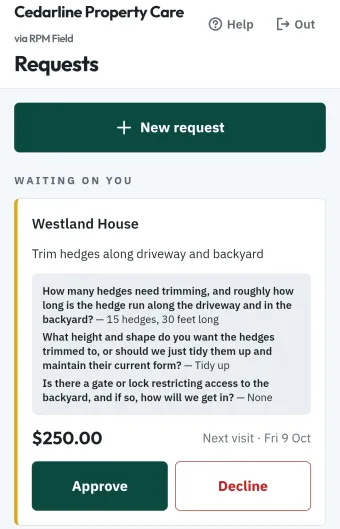
Owners request extra work from their portal and AI asks the follow-up questions first — how tall are the hedges, how much brush. You quote it, they approve from their phone.
Invoicing that runs itself
Per-visit, monthly flat-rate or seasonal packages. One-tap monthly billing runs, escalating overdue reminders, PDF invoices and CSV export for your accountant.
Beyond the weekly cut
Quote a deck the way you quote a cut.
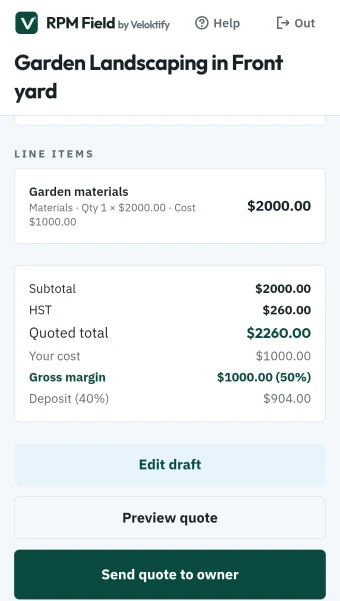
Multi-line quotes with labour, materials and subcontract lines — your cost on every line, and live gross margin as you build it. Take a deposit the moment the owner approves, schedule the work across as many days as it needs, and bill the balance with the deposit credited automatically.
Lose a quote and you record why. Win rate and average margin by month tell you whether you are pricing project work right — the number most operators never get to see.
You are there. They are not.
Your crew sees the problem first.
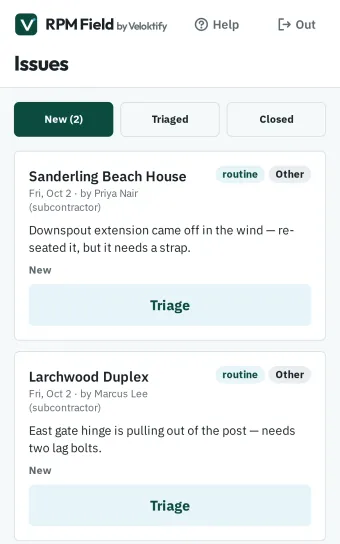
Overhanging limbs, drainage, rodents, a tree down after a storm. Crew log it from the job sheet in under thirty seconds with photos, a category and an urgency — and AI tidies the rough note into something you can actually send an owner.
Then one tap to triage: quote it, refer it out, notify the owner, or close it with a reason. Everything except close emails the owner with a timestamp, so there is a clean record of what you told them and when.
What actually happened
Verified check-in. Photos. Receipts.
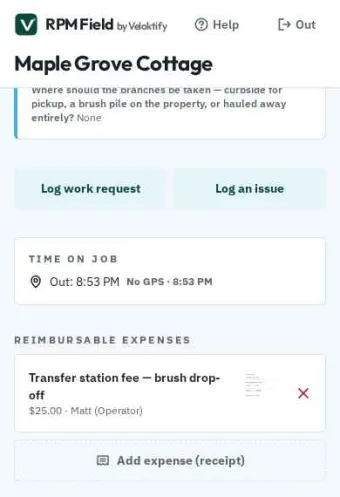
One tap in, one tap out, location-stamped, with completion photos the owner can see. Rain delays, blocked-access reports and reschedule requests all come off the same screen — so when a gate is locked or a dog is out, it gets logged instead of phoned in.
Reimbursable expenses attach with a receipt and fold straight onto the invoice, so the dump run doesn’t come out of your pocket.
Built for snow days
Snow work that follows the snowfall.
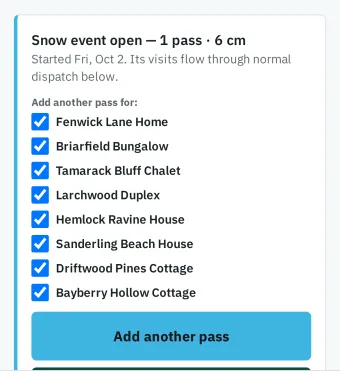
Snow agreements don’t pretend to run on a schedule. When the storm hits, start a snow event from the storm-watch alert or with one tap on Today, and every in-season client lands on the route. Long storm? Add another pass for the driveways that need it.
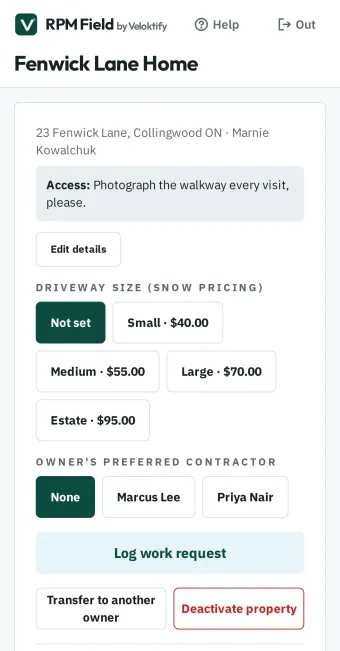
Bill the way you sell: per visit, a flat monthly fee, or a seasonal package, and choose which you offer once in Settings. Snow seasons (Nov–Apr) sit beside lawn seasons (May–Oct) on the same property, so each client is one record all year.
Proof of every push
One swipe per driveway.
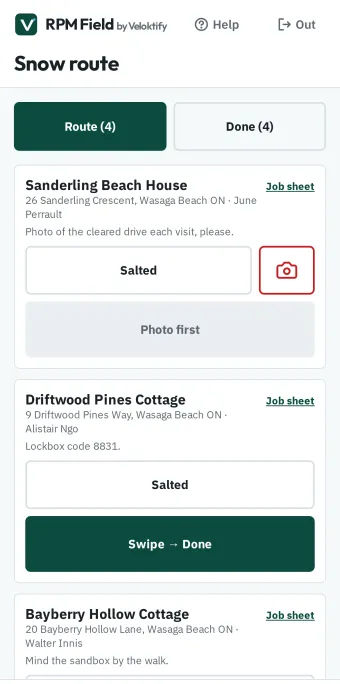
Clear the drive, swipe Done, pull away. RPM Field stamps the time and GPS location, checks it against that client’s driveway pin, and flags anything that looks like the neighbour’s for review later, not at the curb.
Add a photo where a property needs one and mark it salted with one tap. Every visit keeps a timestamped, location-checked record you can pull up months later.
Shaped to your business
Lawn, snow, or both — you decide.
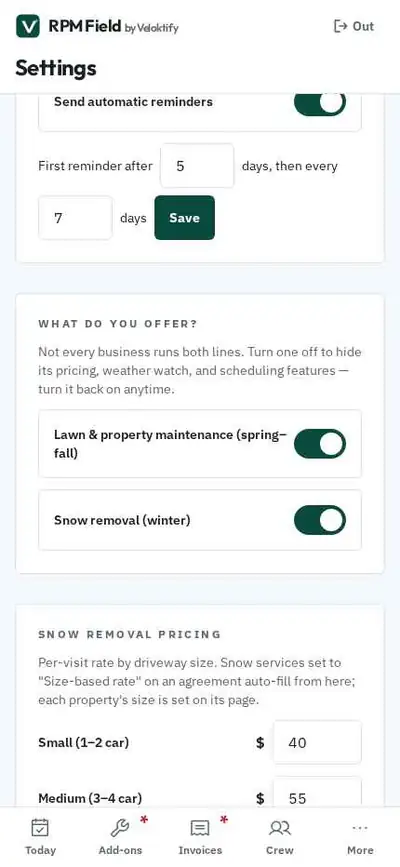
Not every business runs both lines. In Settings, “What do you offer?” lets you switch either one off. Turn snow off and its pricing tables, driveway-size picker, size-based rates and weather-watch rows disappear — and storm alerts stop arriving. Turn lawn off and the same happens in reverse.
The app you open is the app you actually need, not a tour of someone else’s business.
Tax, done properly
Tax that waits until you’re ready.
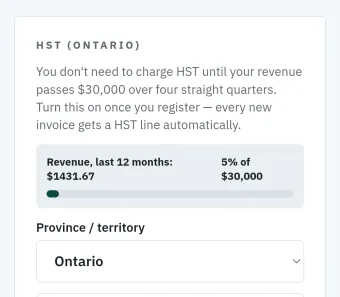
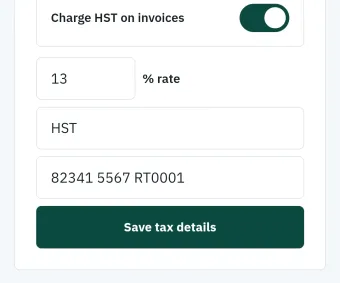
Track your revenue against the $30,000 small-supplier threshold and switch tax on the day you register — every invoice after that carries the line, the rate and your registration number automatically. Deposits are taxed properly too, so a commercial client can claim their input tax credit from the deposit invoice, not just the final one.
Ontario is the default. Pick a different province and the label and rate follow — GST in Alberta and the territories, HST across Atlantic Canada. Rural addresses that maps can’t find get a pin you drop yourself, with a check-in radius you set per property.
Your brand, not ours
A business card that lives on their phone.
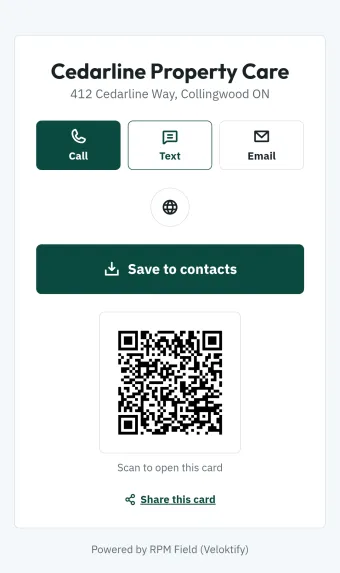
Every operator gets a shareable digital card at their own link — call, text, email, save to contacts, and a one-tap prompt to leave a Google review. Print the QR on a truck, a flyer or an invoice and it opens straight to you.
Introductory pricing · Limited time
$29 CAD a month, locked for 12 months.
An introductory rate for early operators, for a limited time. After your first year it’s $790 a year (two months free) or $79 a month.
One price, one plan either way: no per-property fees, no per-seat maths, no upsell tiers hiding the features you actually need.
Unlimited everything
Owners, properties, crew and invoices — grow your book without your bill moving.
Every billing model
Per-visit, monthly flat-rate and seasonal packages — in the same agreement, on the same property.
Portals included
Owner portal and crew app come with it — not an add-on, not a higher tier.
Shaped to your business
Run lawn, snow or both — switch a line off and its pricing, scheduling and weather features go with it.
Free for 30 days · No card to start · Your data exports to CSV whenever you want
Sign-in is live at field.veloktify.com.
FAQ
Questions, answered.
When can I sign up?
Right now. RPM Field is live at field.veloktify.com, and the 30-day trial starts the moment you do — no card needed. Get in touch and we’ll load your properties, services and rates with you; most operators are running their own season within the week.
How do card payments work?
Owners pay by card through your own Stripe account, so the money lands with you directly. Standard Stripe rates apply and we take no cut. You can also record Interac e-Transfer payments yourself.
Can my crew get text alerts?
Optionally, yes. Connect your own Twilio account in Settings and crew receive job offers by SMS while storm and rain alerts text you. You pay Twilio directly — no markup, no lock-in.
Do I need to install anything?
No. RPM Field is a phone-first web app you install straight from your browser. No app store, no approval queue, and it works the same on iPhone and Android.
What if I already have a system?
Most operators are moving off a mix of texts, a spreadsheet and memory. RPM Field is built to be set up in an afternoon: add your properties, your services and your rates, and the season schedules itself.
Is my data locked in?
No. Invoices export as PDFs and your billing data exports to CSV for your accountant, any time you want it.
What if I only do lawn care?
Switch snow removal off in Settings and everything snow-related disappears — pricing tables, driveway sizes, storm watch and its alerts. The same works in reverse if you only plough. Turn a line back on any time.
What happens after the introductory year?
Your rate is locked at $29 a month for a full 12 months from the day you start. After that it moves to standard pricing — $790 a year, which is two months free, or $79 a month. No surprises: we tell you the standard price up front so you can plan for it.
You run a lawn care business too. Can you see my data?
No. Every operator’s data is completely isolated — there is no cross-tenant access anywhere in RPM Field, and no admin override that would let us read your properties, your customers, your rates or your margins. We built it that way on purpose, because we’re an operator too and we’d want the same answer. It’s written into our privacy policy, and the only time we touch your data is when you ask us to help with a support issue.
Part of the RPM-System
A standalone product, built to ship.
RPM Field is its own product on its own phone-first stack, designed to be picked up and used the same afternoon. It sits alongside RPM Property Management — maintenance, dispatch and billing for property managers and owners, now in development — and shares the same principle: software built from how the work actually runs.
contact@veloktify.com · Instagram @Veloktify